
-
×
 Cassie Responsive Bootstrap 4 Dashboard Template
2 × 89.000₫
Cassie Responsive Bootstrap 4 Dashboard Template
2 × 89.000₫ -
×
 Theme WordPress Bán Xe Ô Tô
1 × 299.000₫
Theme WordPress Bán Xe Ô Tô
1 × 299.000₫ -
×
KindnessKit - Non-Profit & Charity Elementor Template Kit – Donation & Fundraising
1 × 89.000₫
-
×
Buzzify - Social Media Marketing Agency Elementor Template Kit
1 × 89.000₫
-
×
Rocker - Laravel 8 + Bootstrap 5 Admin Template
2 × 89.000₫
-
×
Paylloo - Online Payment & Finance Elementor Template Kit
1 × 89.000₫
-
×
Circl - Responsive Admin Dashboard Template
1 × 89.000₫
-
×
Unikit - Multi Application Admin Dashboard Templat
1 × 89.000₫
-
×
Minible - Node.js Admin & Dashboard Template
1 × 89.000₫
-
×
Clivax - ASP.Net & MVC Admin & Dashboard Template
1 × 89.000₫
-
×
Mooli Hospital - Bootstrap Admin Template
2 × 89.000₫
-
×
Meteor - Responsive Admin Dashboard Template
1 × 89.000₫
-
×
Theme WordPress Bán Đồ Trẻ Em
1 × 299.000₫
-
×
Qovex - Laravel Admin & Dashboard Template
1 × 89.000₫
-
×
Skote - Symfony Admin & Dashboard Template
1 × 89.000₫
-
×
Quanta - Digital Marketing Elementor Template Kit
1 × 89.000₫
-
×
PawsPlus - Pet Care & Veterinary Elementor Template Kit
1 × 89.000₫
-
×
Robix – Industrial Robotic & Automation Solution Elementor Template Kit
1 × 89.000₫
 Theme WordPress Bán Xe Ô Tô
  KindnessKit - Non-Profit & Charity Elementor Template Kit – Donation & Fundraising
  Buzzify - Social Media Marketing Agency Elementor Template Kit
  Rocker - Laravel 8 + Bootstrap 5 Admin Template
  Paylloo - Online Payment & Finance Elementor Template Kit
  Circl - Responsive Admin Dashboard Template
  Unikit - Multi Application Admin Dashboard Templat
  Minible - Node.js Admin & Dashboard Template
  Clivax - ASP.Net & MVC Admin & Dashboard Template
  Mooli Hospital - Bootstrap Admin Template
  Meteor - Responsive Admin Dashboard Template
  Theme WordPress Bán Đồ Trẻ Em
  Qovex - Laravel Admin & Dashboard Template
  Skote - Symfony Admin & Dashboard Template
 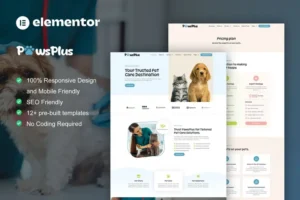 PawsPlus - Pet Care & Veterinary Elementor Template Kit
  Robix – Industrial Robotic & Automation Solution Elementor Template Kit
Mô tả
Optivexa – SEO Digital Agency Elementor Template Kit: Giải pháp tối ưu cho các Agency SEO
Optivexa là một Elementor Template Kit được thiết kế riêng dành cho các SEO digital agencies muốn xây dựng sự hiện diện trực tuyến mạnh mẽ và tập trung vào kết quả. Đây là lựa chọn lý tưởng cho các SEO specialists, digital strategists và marketing professionals, giúp bạn dễ dàng trình bày dịch vụ tối ưu hóa, case studies và các chỉ số hiệu suất đã được chứng minh.
Với thiết kế hiện đại, sạch sẽ cùng bố cục thân thiện với người dùng, Optivexa không chỉ giúp bạn truyền tải chuyên môn SEO mà còn xây dựng uy tín và thu hút khách hàng mong muốn tăng trưởng rõ rệt cùng thứ hạng trên các search engine. Toàn bộ template kit sử dụng các free elements, bạn có thể yên tâm thử nghiệm mà không lo về chi phí.
Tính năng nổi bật của Optivexa – SEO Digital Agency Elementor Template Kit
- Bao gồm nhiều trang đa dạng: Home, About Us, Team, Services, Single Services, Pricing Plan, FAQs, Blog, 404, Contact Us.
- Phông chữ sử dụng: Unbounded và Roboto mang lại trải nghiệm đọc dễ chịu và chuyên nghiệp.
- Tích hợp sẵn các plugin phổ biến: Elementor, ElementsKit Lite, Jeg Elementor Kit, Qi Addons For Elementor, Metform, Ultimate Addons for Elementor Lite.
- Thiết kế tương thích và dễ dàng tùy chỉnh với Elementor, giúp bạn xây dựng website nhanh chóng.
Hướng dẫn thiết lập Header với plugin Jeg Elementor Kit
- Nếu bạn dùng Elementor Pro, hãy thiết lập header và footer trong Theme Builder. Đảm bảo page layout của các trang tạo bằng Elementor được đặt thành Elementor Full Width để header và footer toàn cục xuất hiện.
- Vào menu Jeg Elementor Kit > Header Template.
- Click “Add New Header”.
- Thêm điều kiện > All Site và nhấn “Create”.
- Click biểu tượng bút để chỉnh sửa, Elementor sẽ mở.
- Click biểu tượng thư mục màu xám để mở tab My Templates.
- Chèn template header, tùy chỉnh và lưu lại.
Hướng dẫn import form tùy chỉnh với MetForm
- Trong lúc chỉnh sửa trang, mở Elementor navigator để tìm widget Metform.
- Click “Edit Form” trong panel builder.
- Chọn “New”, để trống và click “Edit Form”.
- Click nút thư mục “Add Template”.
- Chọn tab “My Templates”.
- Chọn template MetForm đã import, rồi click “Insert”.
- Khi template tải xong, nhấn “Update” để lưu.
Thông tin về hình ảnh trong Template Kit
Optivexa sử dụng hình ảnh demo lấy từ Envato Elements. Bạn cần cấp phép bản quyền các hình ảnh này từ Envato Elements để sử dụng trên website của bạn hoặc có thể thay thế bằng hình ảnh riêng.
Ưu đãi khi mua tại Theme Tốt Áp dụng cho sản phẩm này
- Hỗ trợ tư vấn Theme & Plugin miễn phí
- Miễn phí cài đặt import Theme giống mẫu demo
- Sử dụng không giới hạn Website, tên miền
- Tặng 1 năm miễn phí cập nhật phiên bản mới
- Tặng Khóa học SEO Website từ Cơ bản đến Nâng cao trị giá 899.000đ
- Tặng 60 checklist tối ưu bài viết chuẩn SEO đầy đủ nhất 2025
- Tặng hơn 2.000 prompt SEO, Social, Ads dành cho ChatGPT
- Hệ thống cập nhật plugin tự động (độc quyền Theme Tốt)
Hỏi đáp
Không có bình luận nào
Có thể bạn quan tâm

Template Kits
89.000₫

Template Kits
89.000₫

Template Kits
89.000₫

89.000₫

89.000₫

89.000₫
Chỉ những khách hàng đã đăng nhập và đã mua sản phẩm này mới có thể để lại đánh giá.
Chưa có đánh giá nào.