
-
×
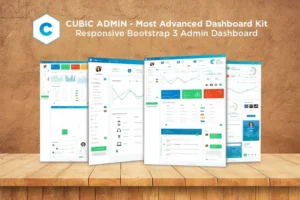 Admin Dashboard + UI Kit Framework Theme - Cubic
1 × 89.000₫
Admin Dashboard + UI Kit Framework Theme - Cubic
1 × 89.000₫ -
×
 Apaxy - Admin & Dashboard Template
1 × 89.000₫
Apaxy - Admin & Dashboard Template
1 × 89.000₫ -
×
Crush it - Admin Template & Ui Kit
1 × 89.000₫
-
×
Robix – Industrial Robotic & Automation Solution Elementor Template Kit
1 × 89.000₫
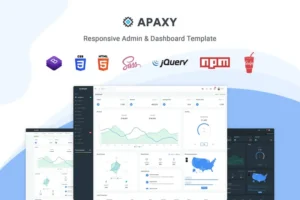 Apaxy - Admin & Dashboard Template
 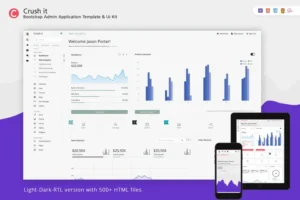 Crush it - Admin Template & Ui Kit
 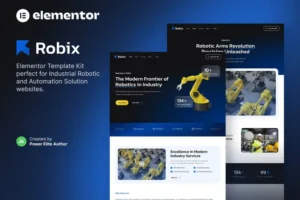 Robix – Industrial Robotic & Automation Solution Elementor Template Kit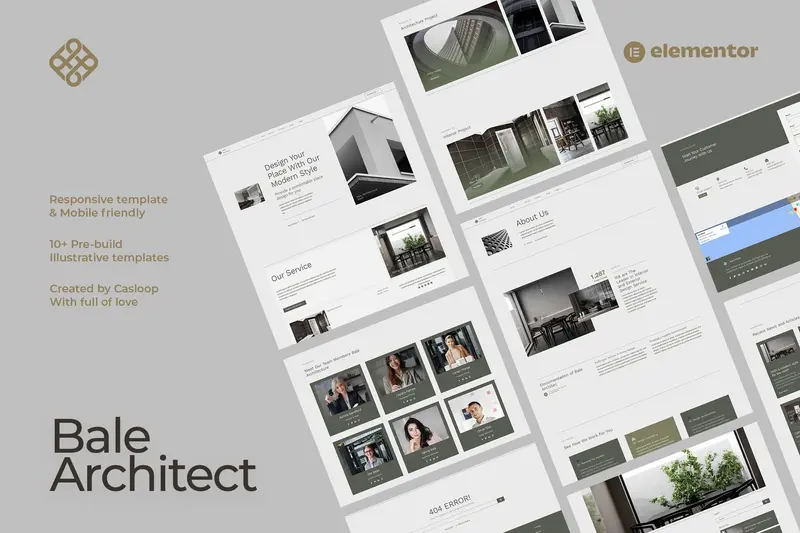
Mô tả
Bale – Architect Elementor Template Kit: Giải pháp Template Kit tối ưu cho Studio Kiến Trúc và Nội Thất
Bale là một Elementor Template Kit dành cho các studio kiến trúc hoặc thiết kế nội thất, tích hợp hoàn hảo với Hello Elementor theme nhẹ nhàng, mang đến phong cách modern industrial hiện đại đầy ấn tượng, thu hút mọi ánh nhìn từ khách hàng.
Nổi bật của Bale – Architect Elementor Template Kit
- Thiết kế tinh tế: Phong cách hiện đại, công nghiệp nâng tầm giá trị thẩm mỹ cho website của bạn.
- Chuẩn di động: Tương thích mọi thiết bị, giúp tiếp cận khách hàng dễ dàng hơn.
- Dễ dàng tùy chỉnh: Chỉnh sửa nhanh chóng với phiên bản miễn phí của Elementor.
Hãy biến đổi diện mạo trực tuyến của bạn với Bale – nơi sự đơn giản hòa quyện cùng tinh tế.
Global Style Kit bao gồm
- Home
- About
- Service Index
- Service Detail
- Portfolio Index
- Portfolio Detail
- Blog Index
- Blog Detail
- Team
- FAQ’s
- Contact
- Error 404
Block Elements
- Block | Header
- Block | Footer
Plugin đi kèm
- Elementor
- Elements Kit Lite
- Jeg Elementor Kit
- Metform
Hướng dẫn sử dụng Template Kits
- Cài đặt và kích hoạt plugin Envato Elements tại Plugins > Add New trong WordPress. Không cần đăng ký Envato Elements để cài plugin.
- Tải file template kit về và không giải nén. Nếu dùng Safari, tắt chế độ “open safe files after downloading” trong Preferences.
- Vào Elements > Installed Kits, click “Upload Template Kit”. Bạn cũng có thể liên kết tài khoản để nhập trực tiếp qua “Connect Account”.
- Kiểm tra banner màu cam trên cùng, click “Install Requirements” để cài các plugin mà kit yêu cầu.
- Bắt đầu import Global Kit Styles.
- Import từng template riêng lẻ, lưu trong Elementor tại Templates > Saved Templates.
- Tạo trang mới tại Pages và chỉnh sửa bằng Elementor.
- Chọn cài đặt trang là Elementor Full Width và ẩn tiêu đề trang.
- Vào tab My Templates (icon folder xám), chọn trang cần tùy chỉnh và import.
- Nếu có Elementor Pro, bạn có thể tùy chỉnh header và footer trong Theme Builder.
Hỗ trợ thêm: Truy cập Elementor > Get Help trong menu WordPress.
Cài đặt Global Header và Footer trong ElementsKit
- Import template header và footer.
- Vào ElementsKit > Header Footer, click “Add New”. Nếu có hướng dẫn wizard, bạn có thể bỏ qua bằng cách bấm “Next”.
- Đặt tên header, chọn “Entire Site” và bật “Activation” sang On.
- Chọn “Edit Content” để mở builder.
- Chọn template header với icon folder, chọn menu trong nav element, rồi Update.
- Lặp lại tương tự cho Footer.
Cách import Metforms
Nếu sử dụng Elementor Pro, có thể bỏ qua bước cài Metform và các block form.
- Import các bản template metform block.
- Import template trang chứa form, bấm chuột phải để mở Navigator.
- Chọn Metform widget rồi click Edit Form, chọn New, sau đó Edit Form để builder xuất hiện.
- Click icon folder màu xám “Add Template”.
- Chọn tab “My Templates”.
- Chọn template metform bạn đã import, click Insert (chọn No cho page settings).
- Sau khi template tải xong, tùy chỉnh theo ý và bấm “Update & Close”. Form sẽ hiện trong template.
- Bấm Update để lưu.
Lưu ý quan trọng
Template Kit này sử dụng hình ảnh demo từ Envato Elements. Để sử dụng hình ảnh trên website của bạn, cần mua bản quyền từ Envato Elements hoặc thay thế bằng ảnh riêng.
Ưu đãi khi mua tại Theme Tốt Áp dụng cho sản phẩm này
- Hỗ trợ tư vấn Theme & Plugin miễn phí
- Miễn phí cài đặt import Theme giống mẫu demo
- Sử dụng không giới hạn Website, tên miền
- Tặng 1 năm miễn phí cập nhật phiên bản mới
- Tặng Khóa học SEO Website từ Cơ bản đến Nâng cao trị giá 899.000đ
- Tặng 60 checklist tối ưu bài viết chuẩn SEO đầy đủ nhất 2025
- Tặng hơn 2.000 prompt SEO, Social, Ads dành cho ChatGPT
- Hệ thống cập nhật plugin tự động (độc quyền Theme Tốt)
Hỏi đáp
Không có bình luận nào
Có thể bạn quan tâm
Template Kits
89.000₫

89.000₫

Template Kits
89.000₫

89.000₫

Template Kits
89.000₫

89.000₫
Chỉ những khách hàng đã đăng nhập và đã mua sản phẩm này mới có thể để lại đánh giá.
Chưa có đánh giá nào.