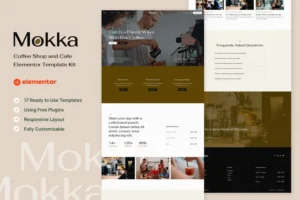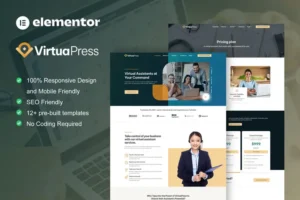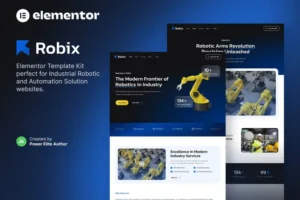


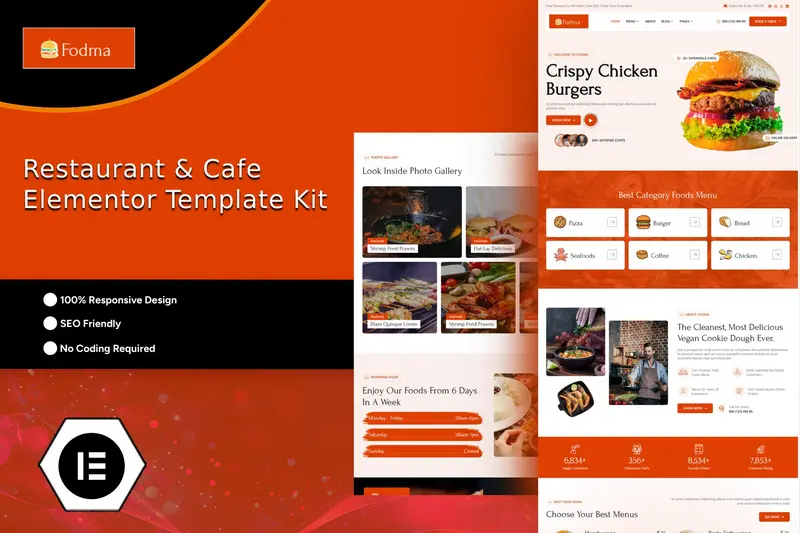
Fodma – Restaurant & Cafe Elementor Template Kit: Giải pháp hoàn hảo cho website nhà hàng và quán cafe
Fodma là lựa chọn lý tưởng cho các nhà hàng và quán cafe với thiết kế chuyên nghiệp, sạch sẽ, cùng giao diện 100% responsive và chuẩn retina-ready. Giúp bạn tiết kiệm thời gian xây dựng website nhanh chóng nhờ Elementor Template Kit. Với Elementor Page Builder, việc chỉnh sửa hoặc tùy biến trở nên dễ dàng, không cần kỹ năng coding, chỉ cần kéo thả đơn giản.
Elementor Template Kit bao gồm nội dung trang được thiết kế sẵn cho Elementor page builder. Bộ kit này đã được tối ưu để sử dụng tốt nhất với free Hello Elementor theme, đồng thời tương thích với hầu hết các Theme hỗ trợ Elementor.
Nổi bật của Fodma – Restaurant & Cafe Elementor Template Kit
- Thiết kế hiện đại và chuyên nghiệp
- Tương thích với mọi trình duyệt (Cross Browser Compatibility)
- 100% Responsive và thân thiện với thiết bị di động
- Hơn 12 mẫu Page Template sẵn sàng sử dụng
- Dễ dàng tùy chỉnh font chữ và màu sắc ở một nơi duy nhất (Global Kit Style)
Danh sách trang có sẵn trong bộ kit
- Home
- Menu
- About
- Gallery
- Chefs
- Testimonials
- Pricing
- Our Faq
- 404 Error
- Reservation
- Blog
- Blog Details
- Contact
- Header
- Footer
Plugins đi kèm khi sử dụng bộ kit
- Elementor
- ElementsKit Lite
- MetForm
- Romethemekit For Elementor
Hướng dẫn nhập Metform
- Import các block template của Metform
- Import page template chứa form, nhấp chuột phải để bật Navigator
- Tìm Metform widget, chọn Edit Form, nhấn New rồi Edit Form để mở trình builder
- Nhấn biểu tượng thư mục màu xám (‘Add Template’)
- Chọn tab ‘My Templates’
- Chọn template Metform đã import, nhấn ‘Insert’ (chọn No với page settings)
- Khi template đã tải, thực hiện tùy chỉnh và nhấn ‘Update & Close’ để form xuất hiện trên trang
- Nhấn Update để lưu
Thiết lập Global Header và Footer trong RomethemeKit
Nếu bạn có Elementor Pro, hãy sử dụng Theme Builder để tạo header và footer. Các trang xây dựng bằng Elementor cần đặt Page Layout là Elementor Full Width để hiển thị global header và footer.
- Đi đến Romethemekit > Theme builder > Header, nhấn Add New
- Đặt tên và chọn Header, tại tab Condition chọn Entire Site rồi Save
- Click Edit with Elementor
- Click biểu tượng thư mục màu xám để mở My Templates, chọn template header import và Update
- Lặp lại tương tự với Footer
Ảnh sử dụng trong Template Kit
Bộ Template này dùng ảnh demo từ Envato Elements. Bạn cần cấp phép bản quyền ảnh từ Envato Elements hoặc thay thế bằng ảnh riêng khi sử dụng trên website.


ActifyLaw - Law Firm Corporate Elementor Template Kit
Digancy - Digital Agency Elementor Template Kit
Webrocket - SEO & Digital Marketing Agency Elementor Template Kit
Structura - Construction Consultant Elementor Template Kit
Horen - Home Renovation Services Elementor Template Kit
FixAll - Handyman & Repair Service Elementor Pro Template Kit
Pipowork - Plumbing Service Business Elementor Template Kits
Chirolift - Physiotherapy & Chiropractic Elementor Template Kit
Prometix - Digital Marketing Agency Elementor Template Kit
Careva - Senior Care Services Elementor Pro Template Kit

Infetech - Technology & IT Solutions Elementor Template Kit
Varspace - Coworking Space Elementor Template Kit
Alfanest - Real Estate & Property Elementor Template Kit
Arsiti - Architecture & House Design Agency Elementor Template Kit
Bsurf - Surfing School Elementor Template Kit
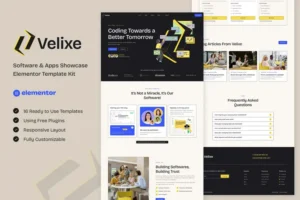
Velixe - Software & Apps Showcase Elementor Template Kit
Goro - Online Coaching & Mentorship Elementor Template Kit
Thunderbolts - Basketball Team & Sports Club Elementor Template Kit
Lastoria - Museum & Exhibition Elementor Template Kit
HDzign - Dark Digital Agency Elementor Template Kit 
Chỉ những khách hàng đã đăng nhập và đã mua sản phẩm này mới có thể để lại đánh giá.
Chưa có đánh giá nào.